


一起来看一下成品:
准备工具
midjourney(https://www.midjourney.com/explore?tab=hot)
豆包(https://www.doubao.com/chat/)
即梦(https://jimeng.jianying.com/ai-tool/)
哩布哩布ai(https://www.liblib.art/ai-tool/)
一、“画” 出你的网球世界 ——Midjourney 生成动感图片
第一步咱得先有 “素材” 对吧?Midjourney 就像你的 “AI 画笔”,输入几句话,就能生成超有氛围感的网球画面。
图1
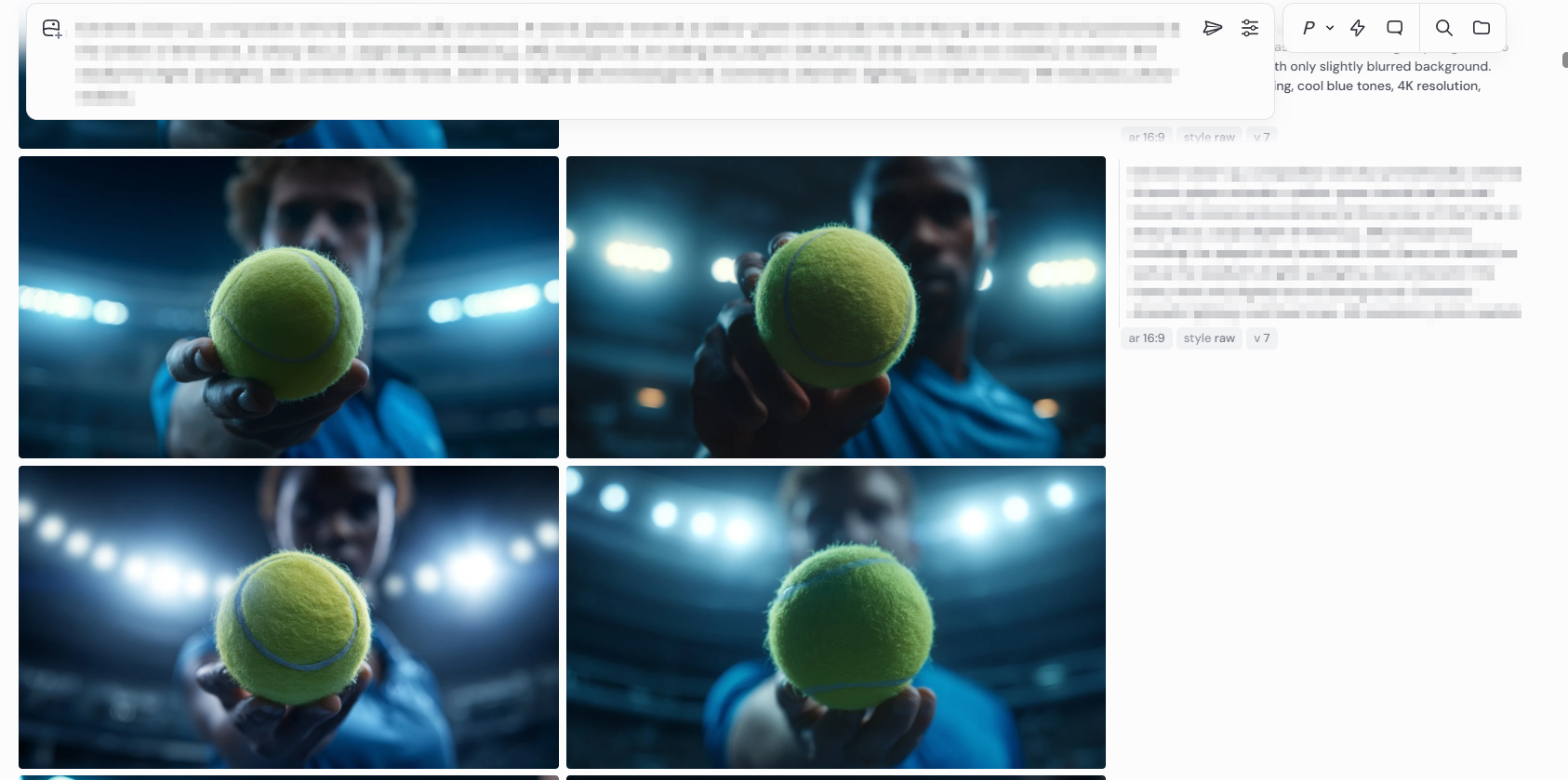
提示词:
Extreme close-up, composition strictly symmetrically centered. A tennis player extends a yellow-green tennis ball, the ball facing the camera and positioned at the center of the frame, in sharp focus. Large depth of field (e.g., f/8), background, including the player's blue jersey and chin (face not visible), as well as the stadium's bright spotlights, also centered in the frame, with only slightly blurred background. Cinematic dramatic lighting, cool blue tones, 4K resolution, photo-realistic.
主体 / 细节
环境 / 场景
风格
构图
色彩
渲染器 / 清晰度
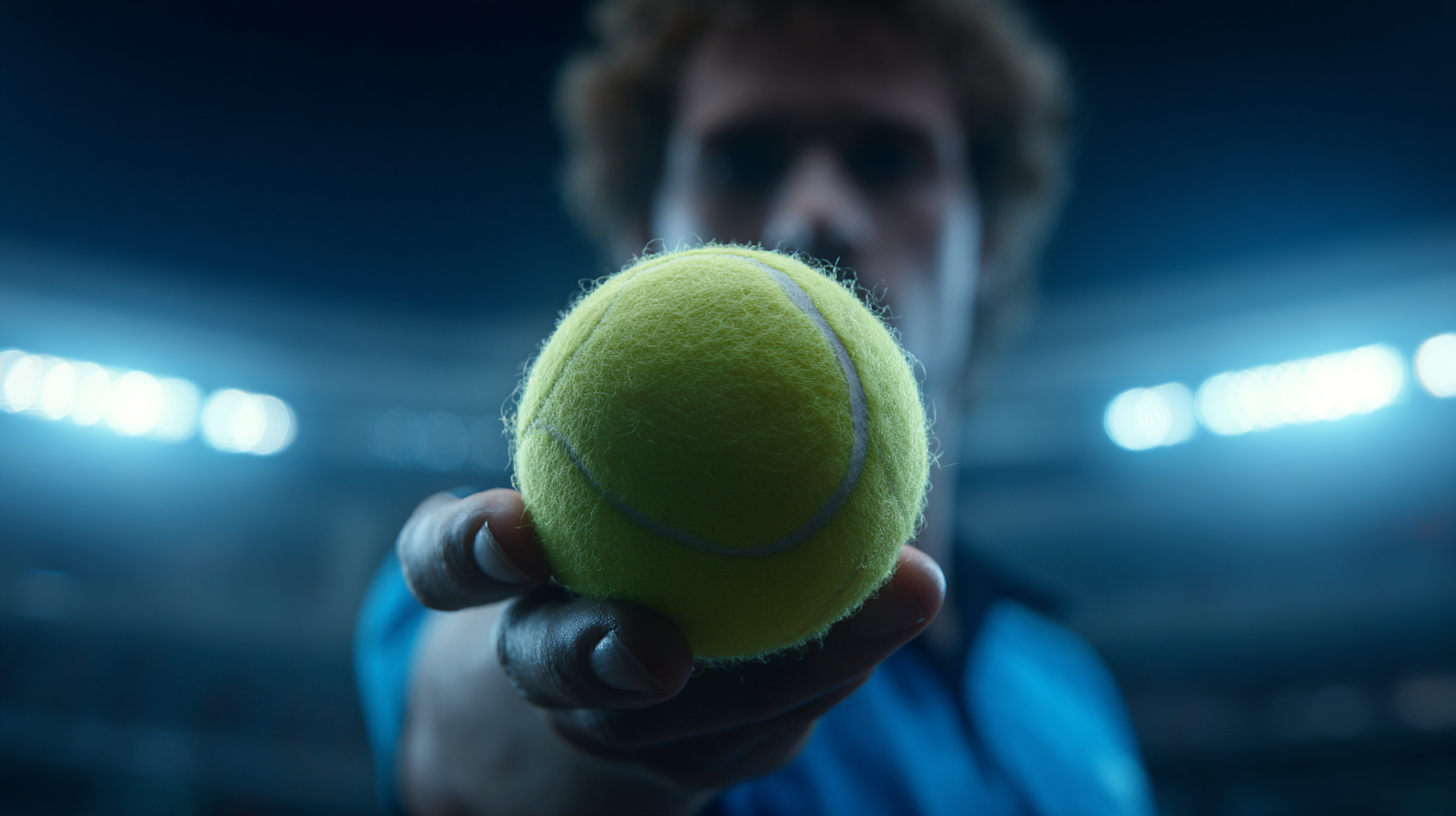
图2,图3
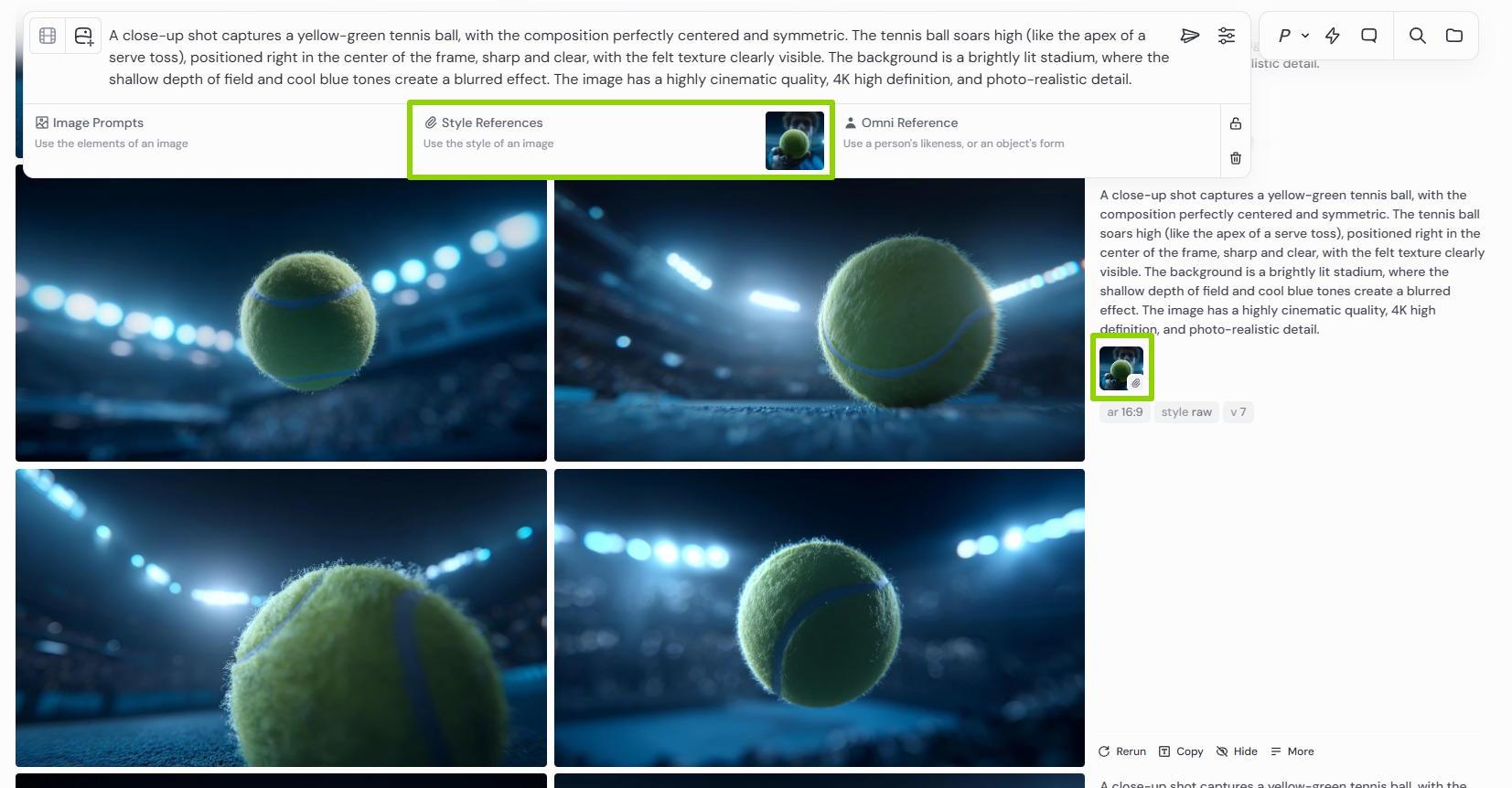
使用图1作为风格参考进行生成提示词:
A close-up shot captures a yellow-green tennis ball, with the composition perfectly centered and symmetric. The tennis ball soars high (like the apex of a serve toss), positioned right in the center of the frame, sharp and clear, with the felt texture clearly visible. The background is a brightly lit stadium, where the shallow depth of field and cool blue tones create a blurred effect. The image has a highly cinematic quality, 4K high definition, and photo-realistic detail.
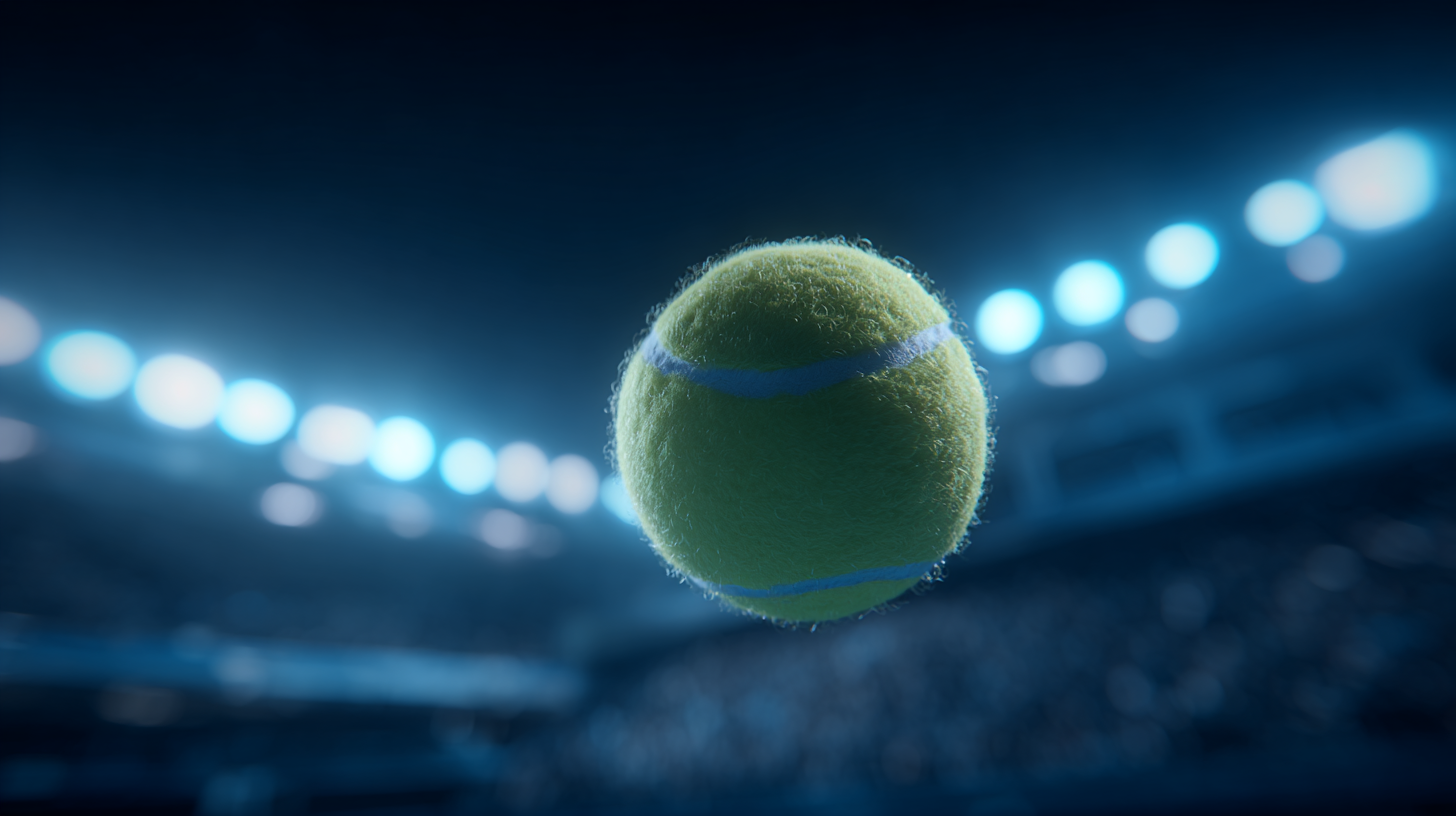
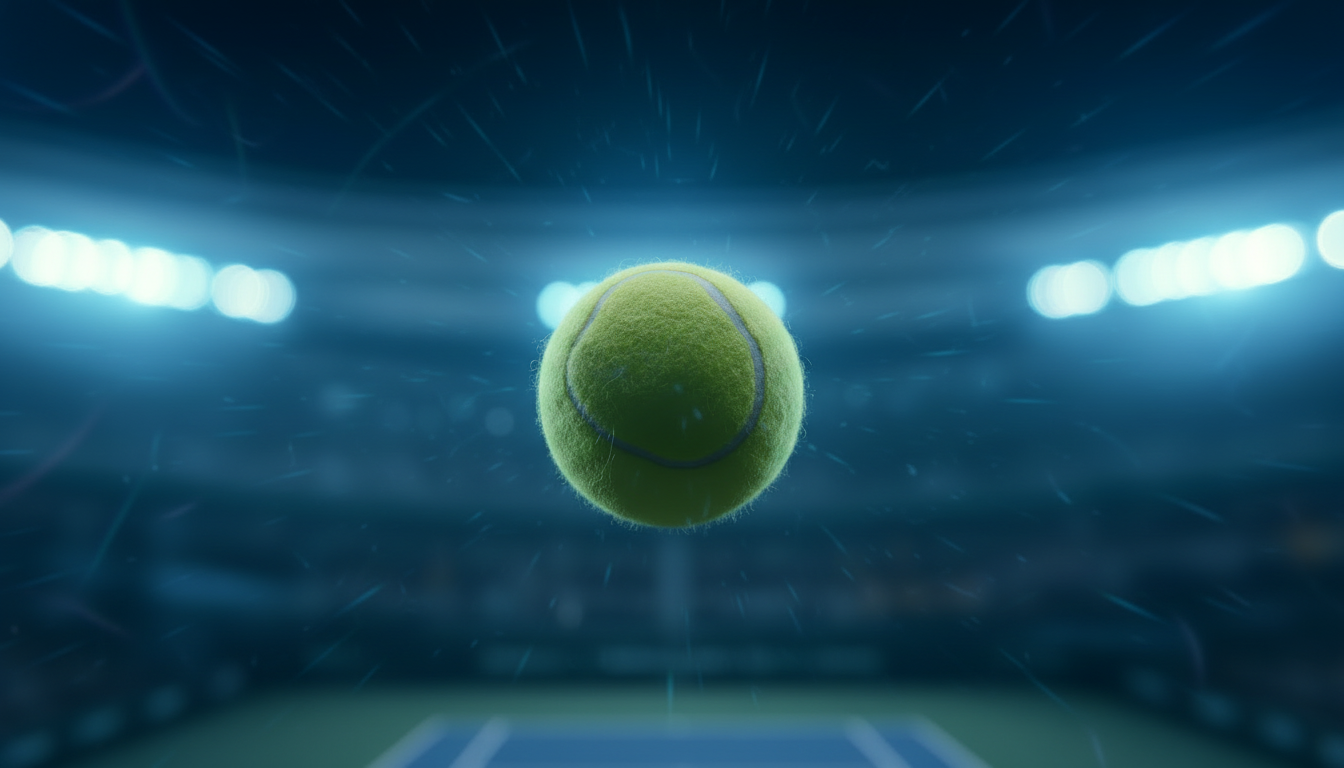
后续的几个镜头就通过这几张图片来生成
二、给图片 “施魔法”—— 即梦 / Nanobanan 换视角改动作
图4
把图1上传给nanobanan,随后输入提示词:
结合原图环境,把图片修改成网球跳跃发球动作姿态:身体后仰,头部向上注视空中的网球,与整个人的姿态形成一条直线,持球拍的手臂高高举起,球拍指向网球,另一只手臂向侧下方伸展以维持平衡,整个姿态充满力量感,画面超级仰视,只出现人物上半身,正视角,人的占比较小
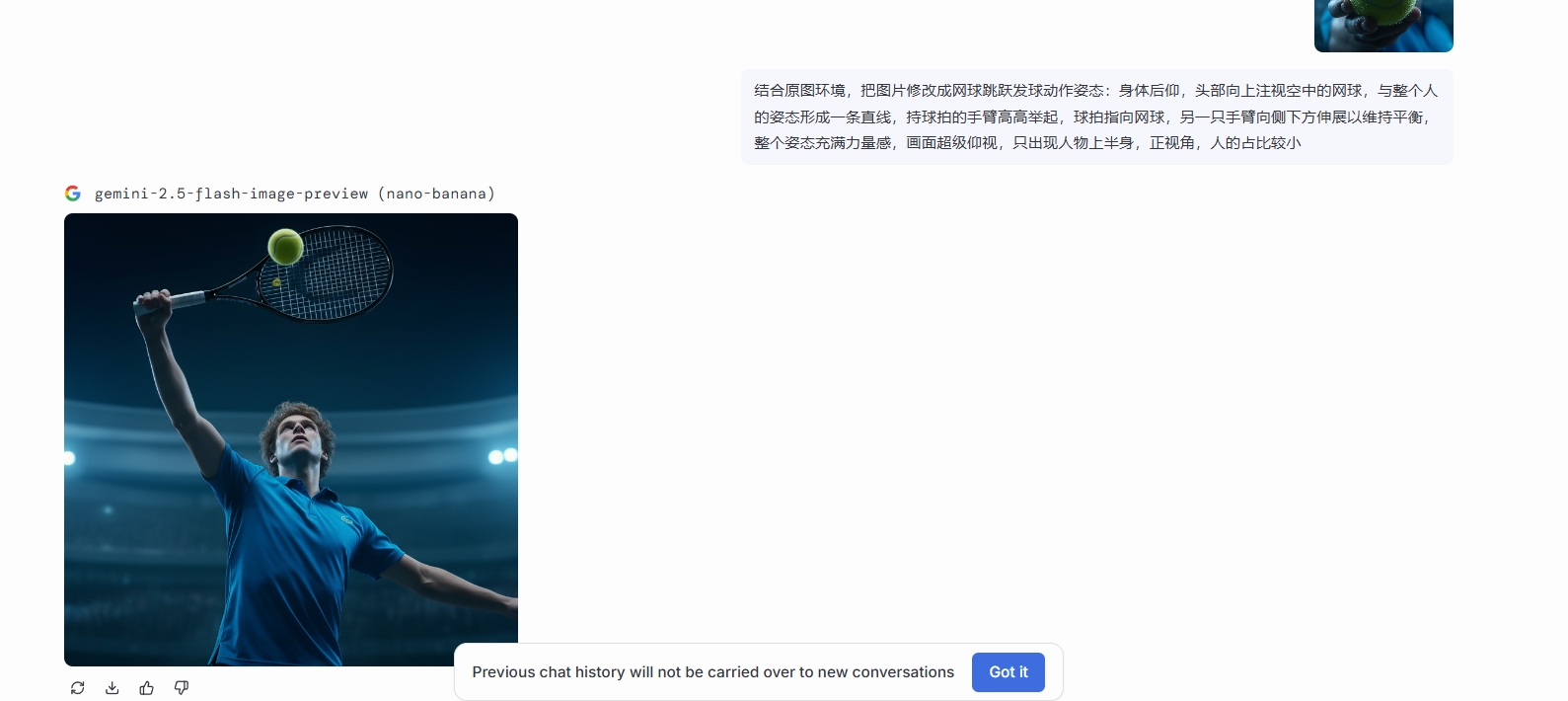
即可得到一张发球分镜图,需要多次抽卡哦,有时也要适当的调整提示词。
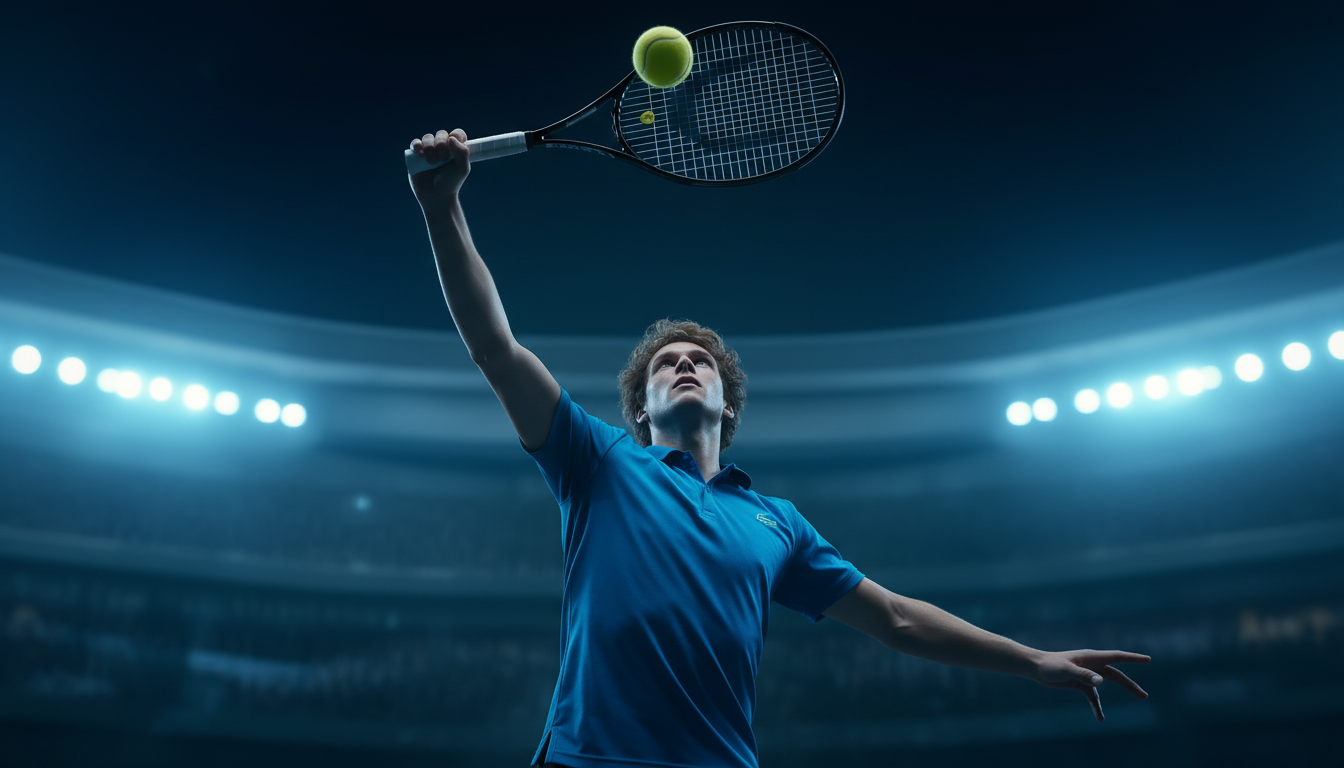
图5
再使用即梦ai/nanobanana上传上面的图片输入提示词:
生成图片的背后视角
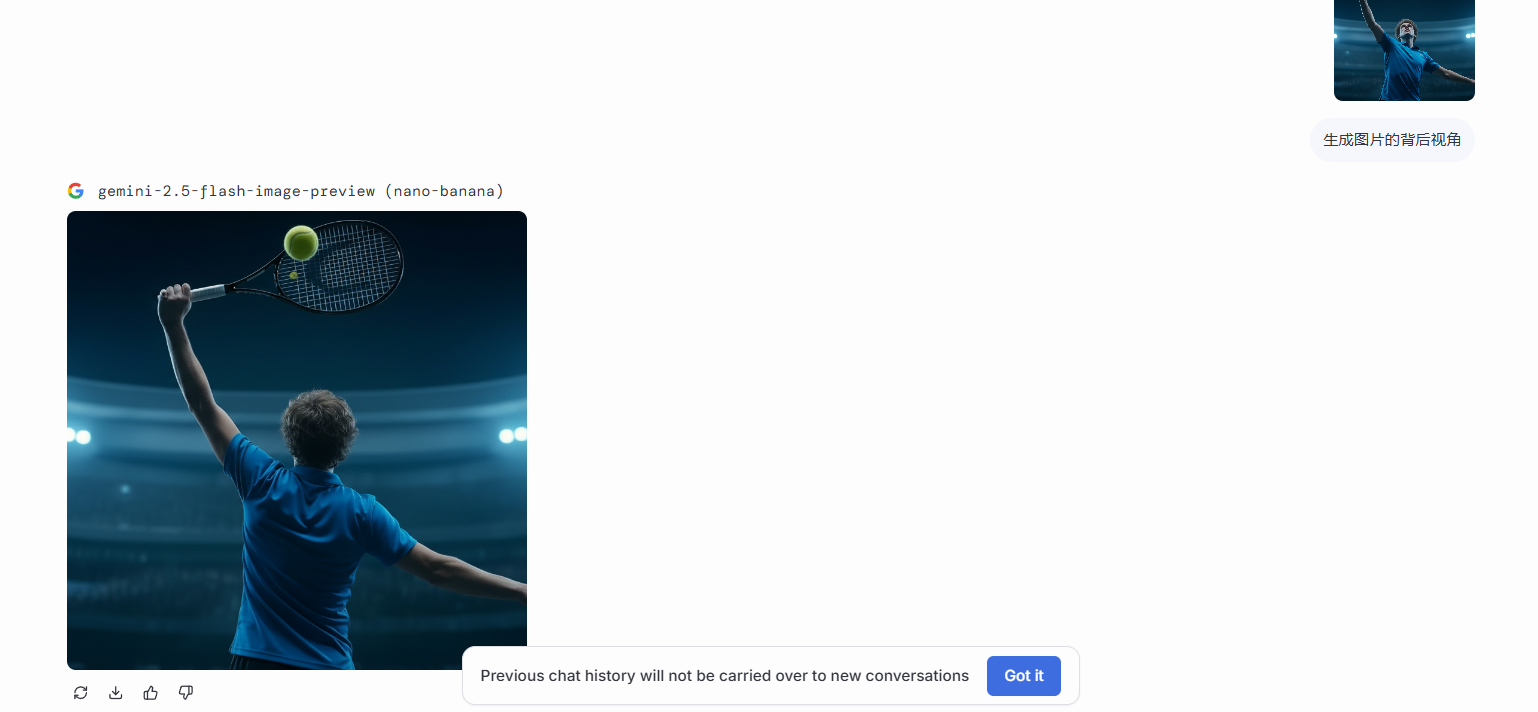
即可得到另一张分镜。
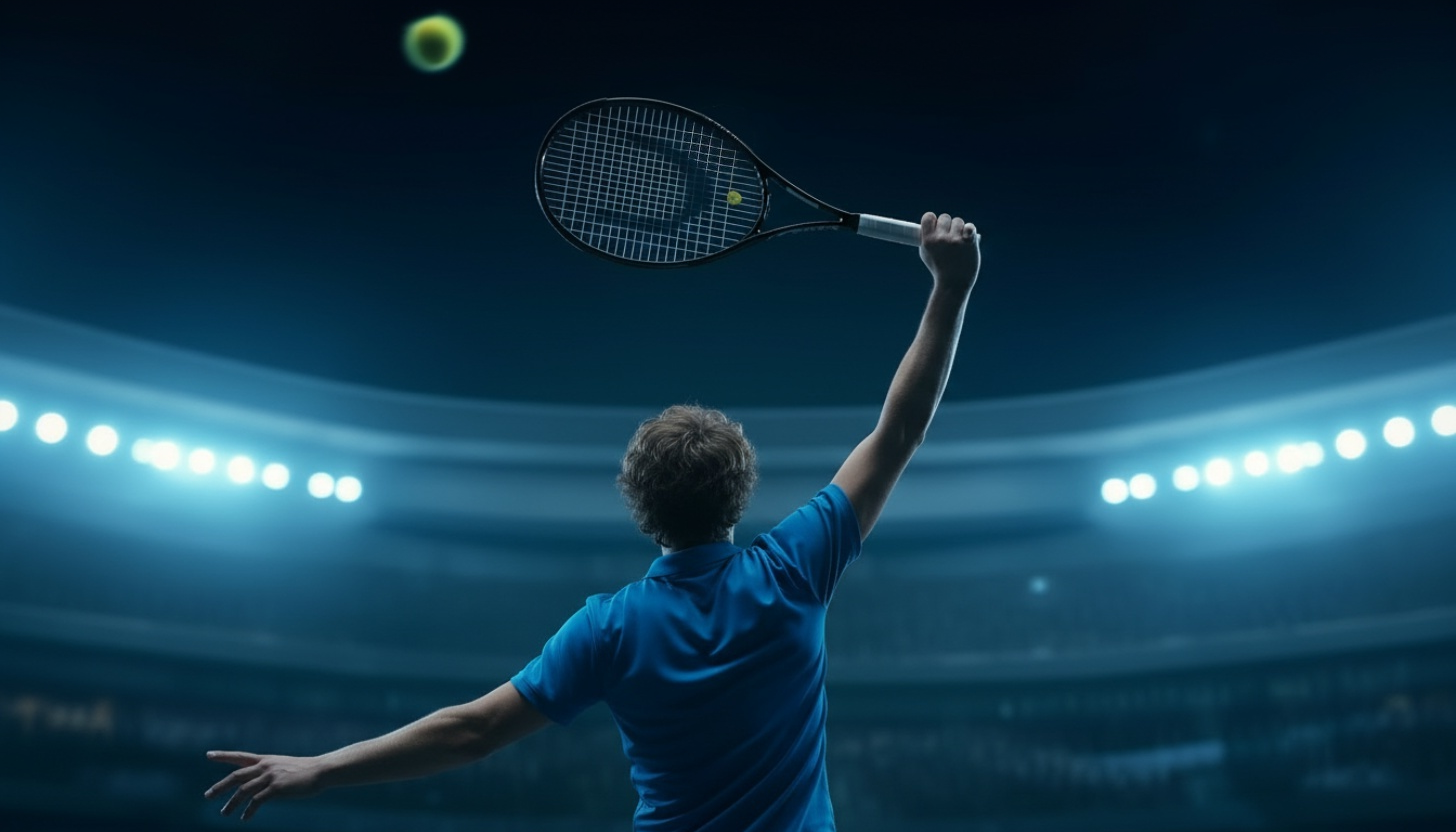
图6
使用图3交给nanobanan进行生成(我所截图的是figma里内嵌的nanobanan,只要是nanobanana都可以使用)
提示词:
超近距离特写,采用超广角镜头,从网前拍摄。一颗黄绿色的网球在画面下方中间占比较大,网球有一半出画面。在网前飞驰,呈现出强烈的运动模糊效果。背景还有个白衣球员准备接球
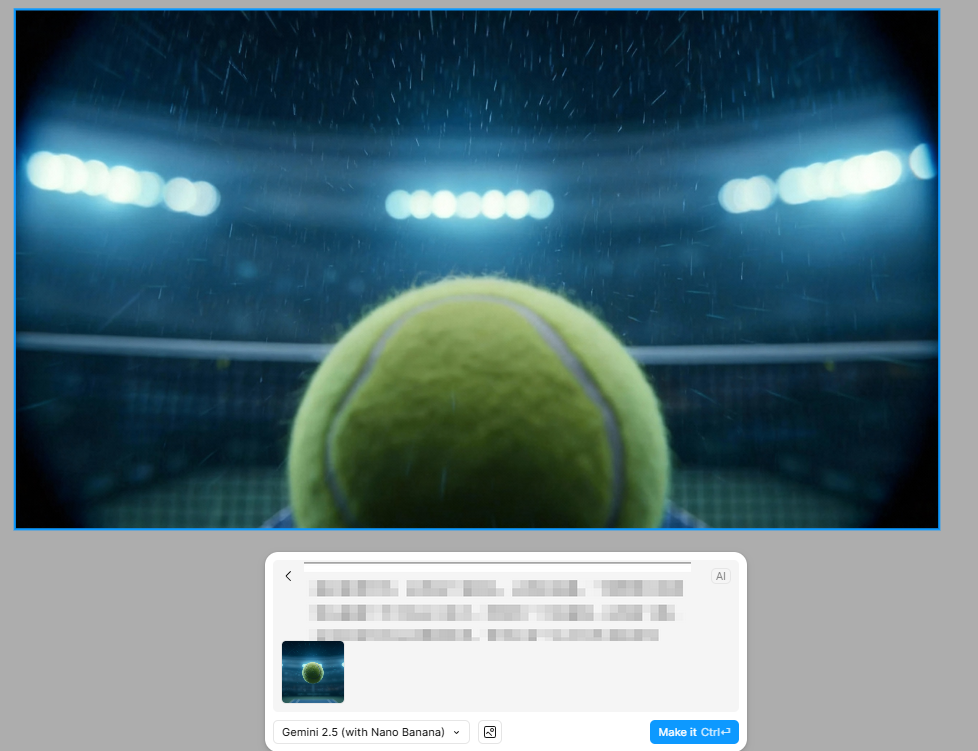
图7
使用图3交给nanobanan进行生成
提示词:
极低角度、居中构图,超广角镜头。特写镜头捕捉到一颗黄绿色的网球落在白色的边线上,网球产生强烈形变,溅起的碎屑。
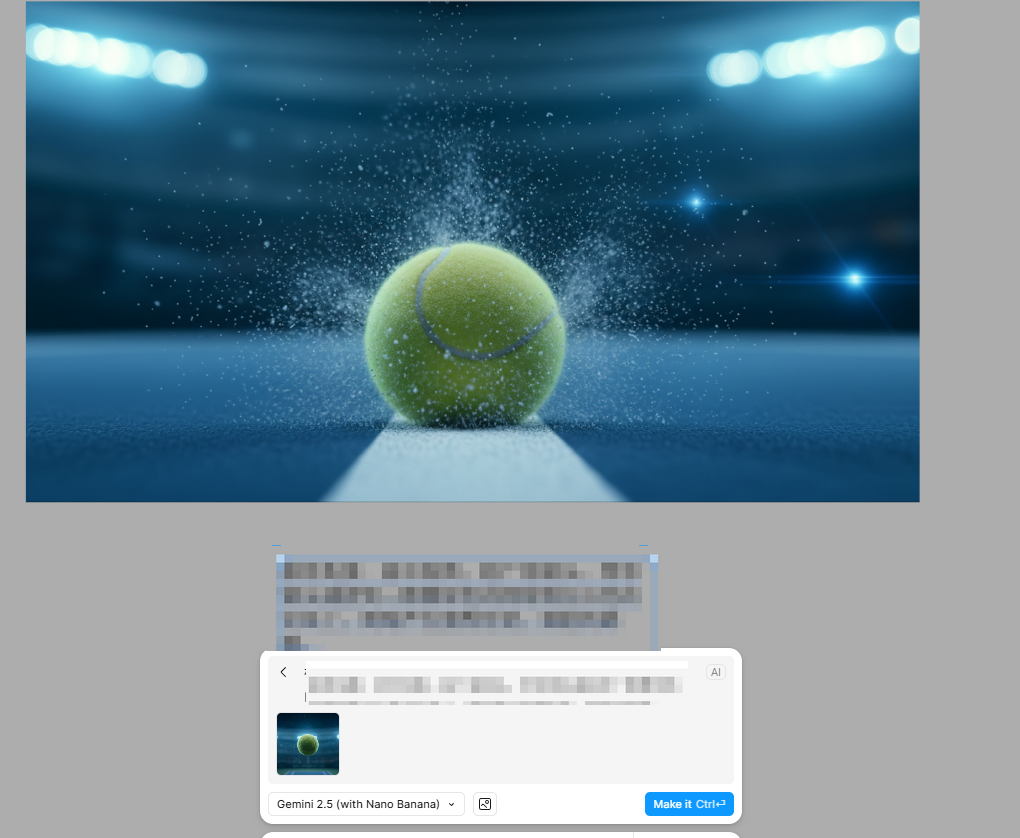
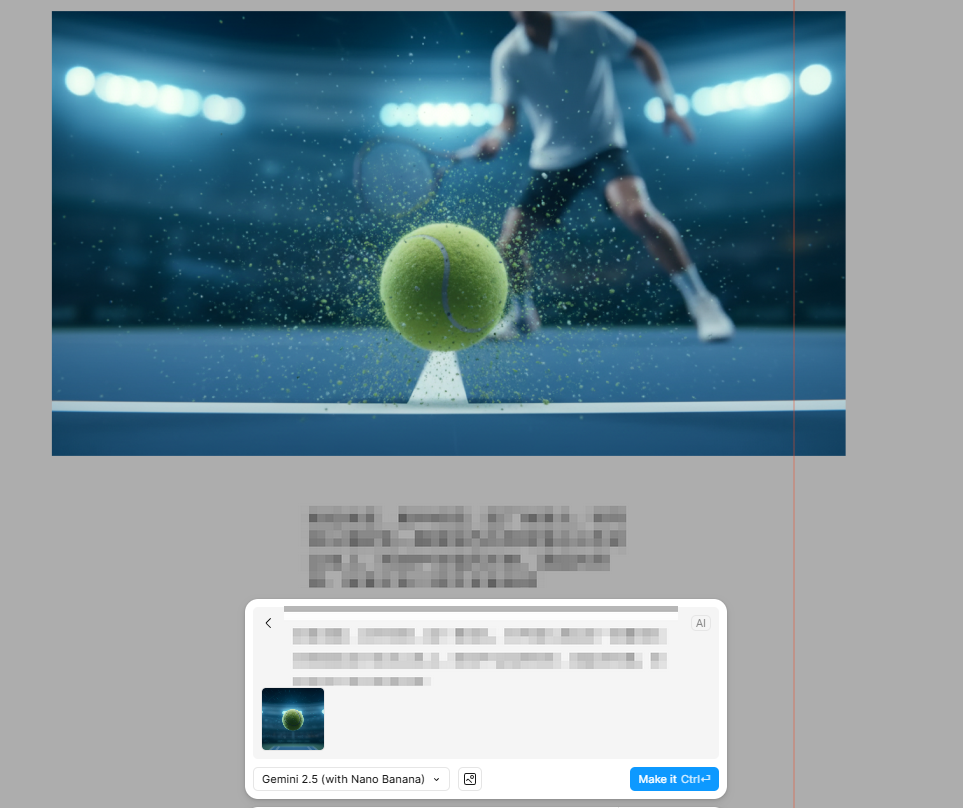
图8
使用图3交给nanobanan进行生成
提示词:
极低角度、居中构图,超广角镜头。特写镜头捕捉到一颗黄绿色的网球落在白色的边线上,网球产生强烈形变,溅起的碎屑。背景还有个球员准备接球
三、让图片 “活” 成视频 ——Midjourney + 海螺 AI 生成动态画面
现在图片有了,动作也改好了,该让它们 “动” 起来了!Midjourney 的 “生成视频” 功能,或者哩布哩布里的海螺 AI,能把静态图变成连贯的视频片段。
先把图片进行分镜排序:
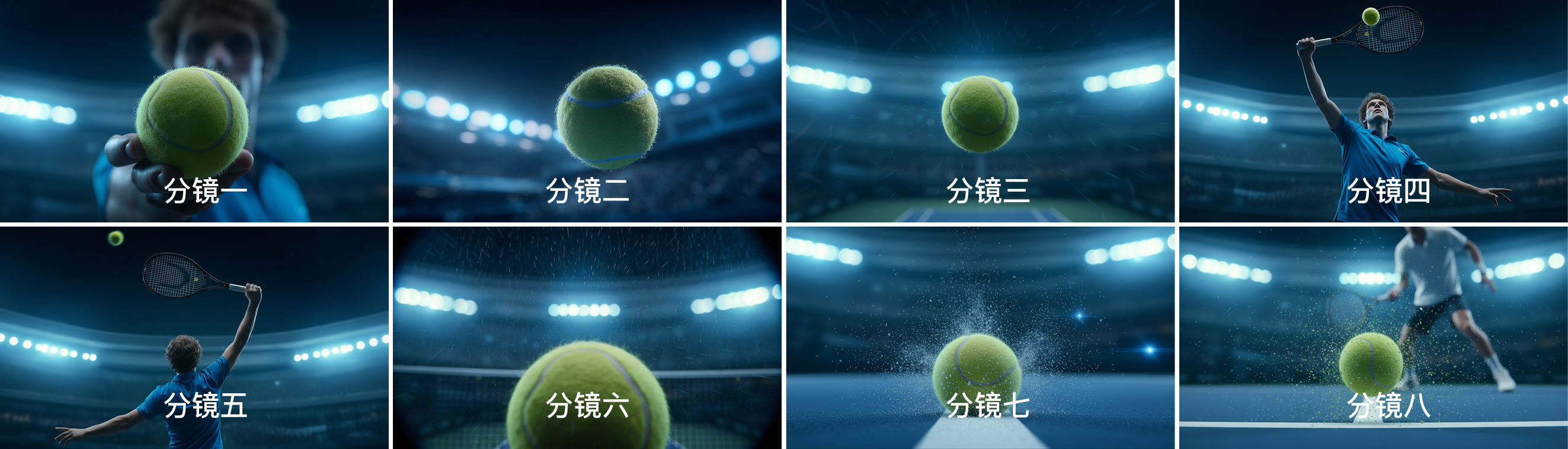
这次全部使用首尾帧进行视频生成,例如
视频1是由:分镜1—分镜2首尾帧生成的,
视频2是由:分镜2—分镜3首尾帧生成的,
视频3是由:分镜3—分镜4首尾帧生成的,
后续都是如此。后期在加点特效,这样生成的视频可以做到一镜到底无缝衔接。
视频一(midjourney里首尾帧生成)
先通过豆包获得视频一的提示词
上传分镜一与分镜二,随后输入提示词:
我要用首尾帧ai生成视频,网球员上抛网球,网球自转往空中飞,镜头紧跟网球,网球一直在中心,给我AI提示词。
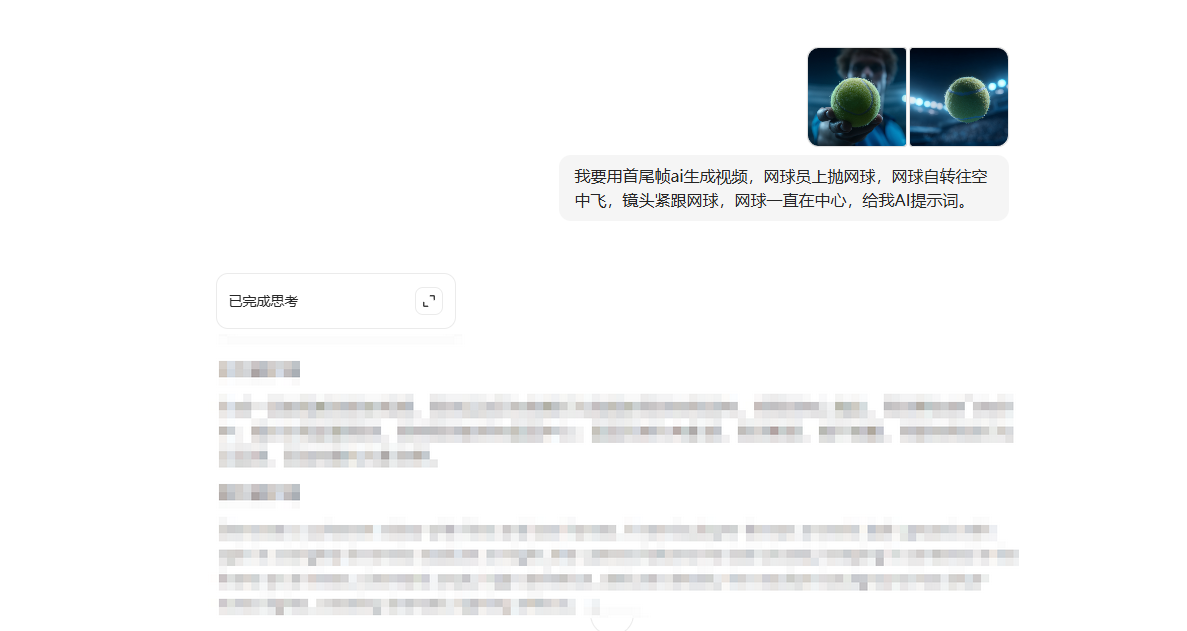 视频提示词:
A tennis player throws a tennis ball upward with spin in a brightly lit tennis stadium at night; the camera follows the ball closely, keeping it centered in the frame at all times; cinematic style, high definition, delicate details, the stadium background has blue-toned lights, creating dramatic lighting effects.
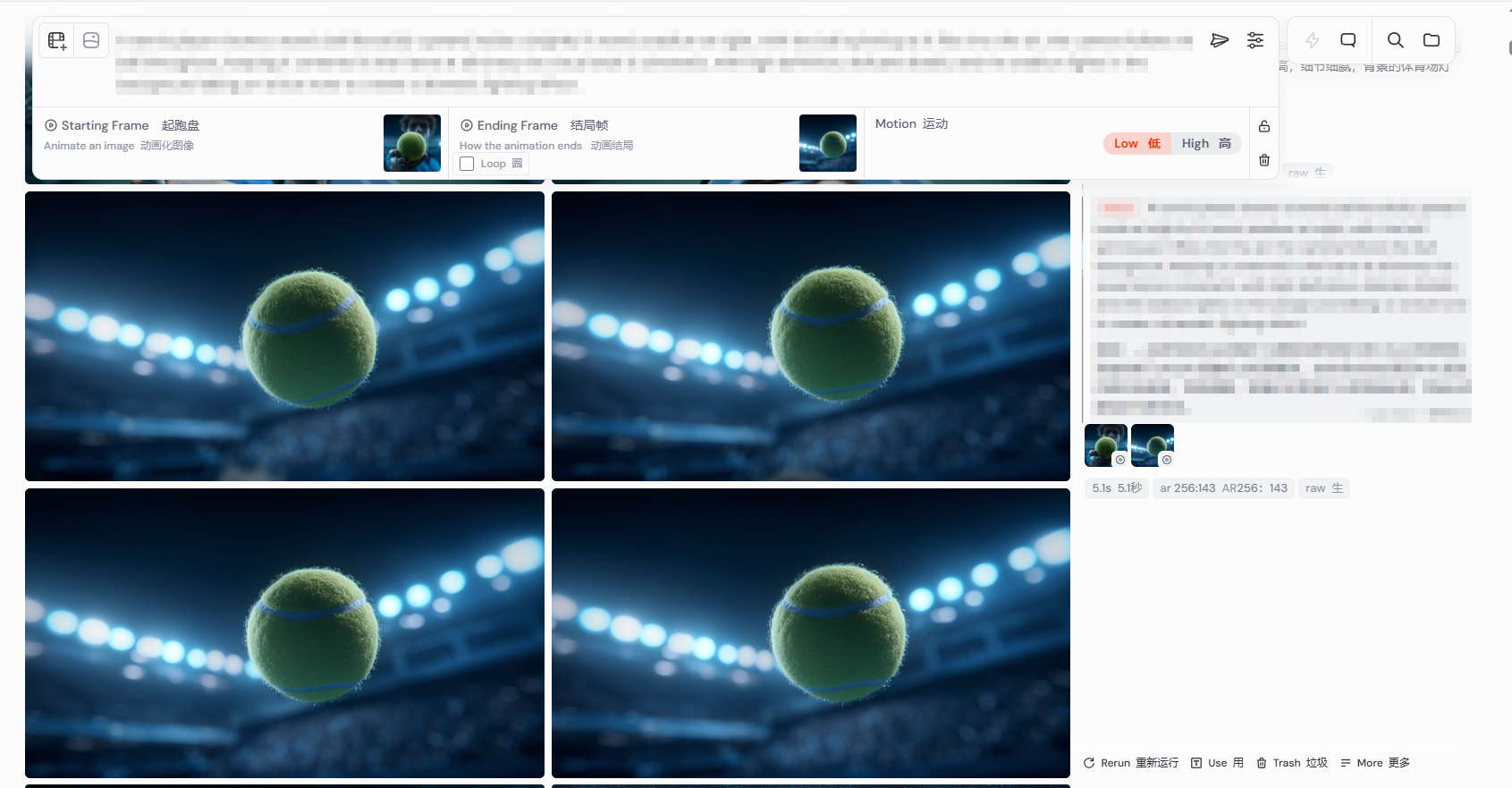
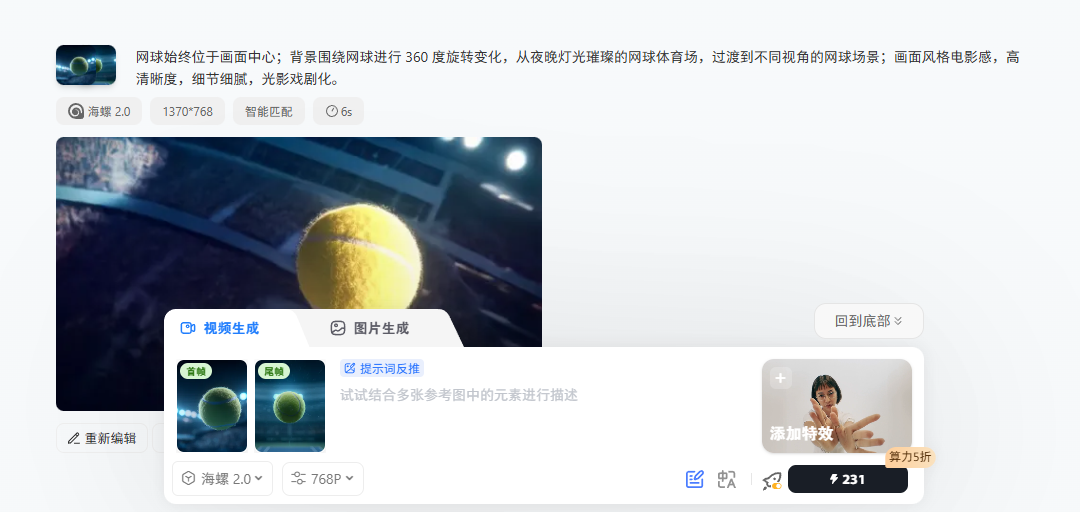
视频二(哩布哩布里使用海螺2.0首尾帧生成)
方法与视频二一致。
先用豆包给我们提示词
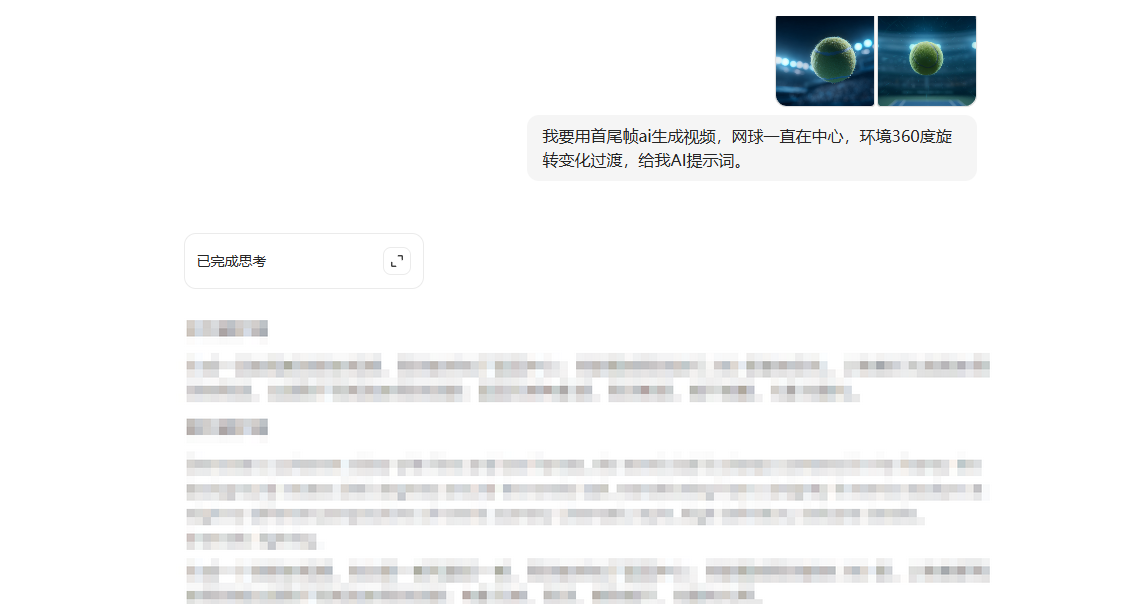
视频提示词:
网球始终位于画面中心;背景围绕网球进行 360 度旋转变化,从夜晚灯光璀璨的网球体育场,过渡到不同视角的网球场景;画面风格电影感,高清晰度,细节细腻,光影戏剧化。
视频三(midjourney首尾帧生成)
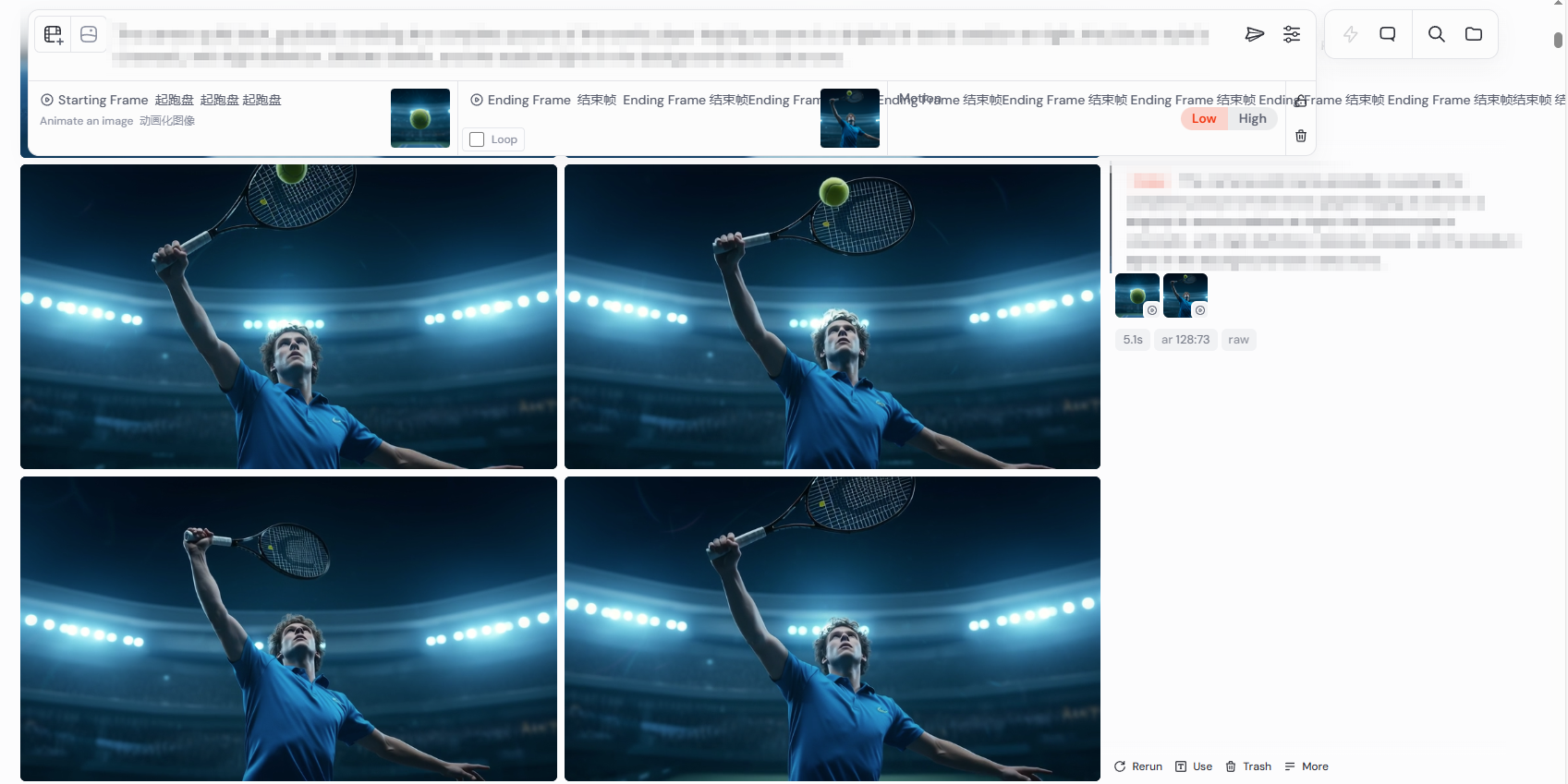
方法与视频二一致。
先用豆包给我们提示词
视频提示词:
The camera pulls back, gradually revealing the complete posture of the tennis player leaping to serve in a brightly lit tennis stadium at night; the picture style is cinematic, with high definition, delicate details, and the stadium lights in the background have a blue tone.
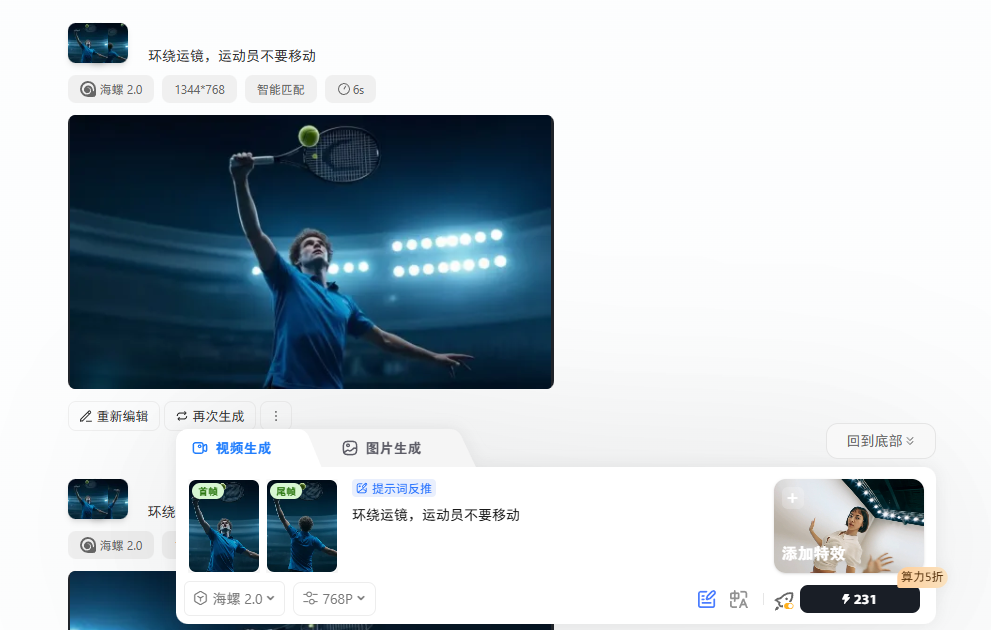
视频四(哩布哩布里海螺首尾帧生成)
直接输入提示词
视频提示词:
环绕运镜,运动员不要移动
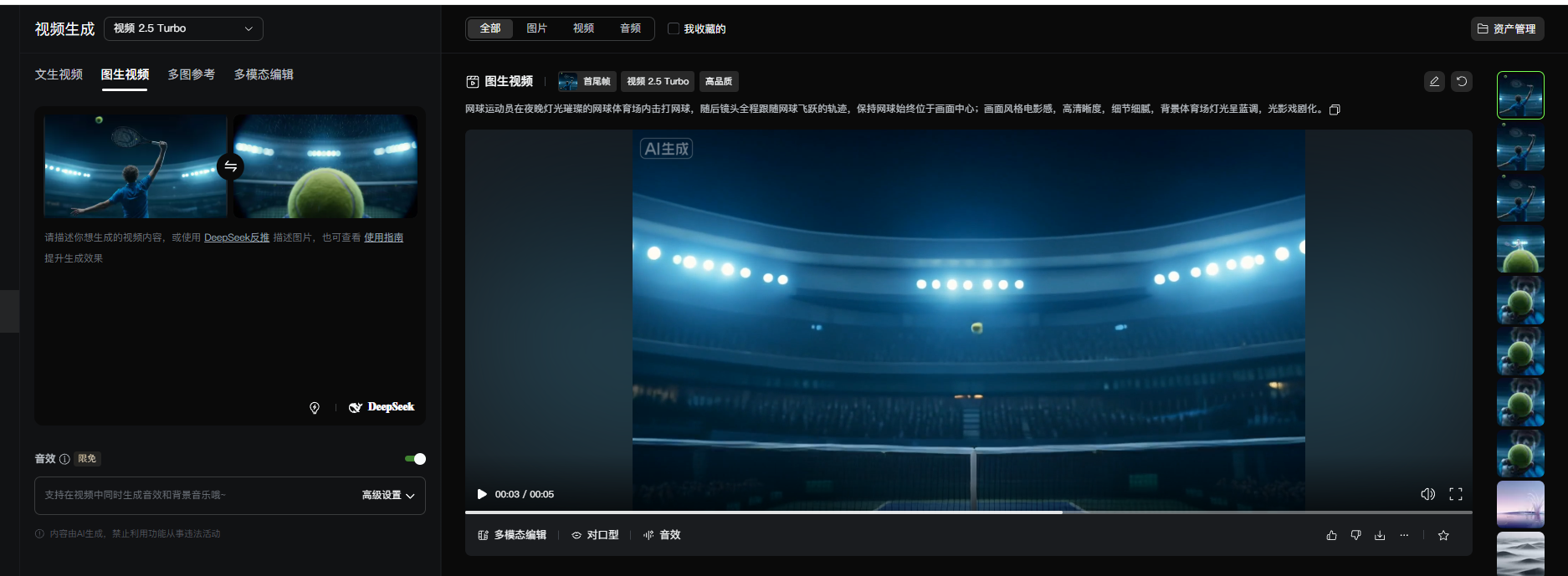
视频五(使用可灵2.5首尾帧生成)
继续让豆包给出提示词:
视频提示词:
网球运动员在夜晚灯光璀璨的网球体育场内击打网球,随后镜头全程跟随网球飞跃的轨迹,保持网球始终位于画面中心;画面风格电影感,高清晰度,细节细腻,背景体育场灯光呈蓝调,光影戏剧化。
视频六(midjourney首尾帧生成)
生成方法与前面的视频一致。
先用豆包给我们提示词
视频提示词:
A tennis ball flies over the net and lands on the ground with deformation and dust splashing in a brightly lit tennis stadium at night; cinematic style, high definition, delicate details of tennis texture and dust particles, dramatic blue-toned lighting.
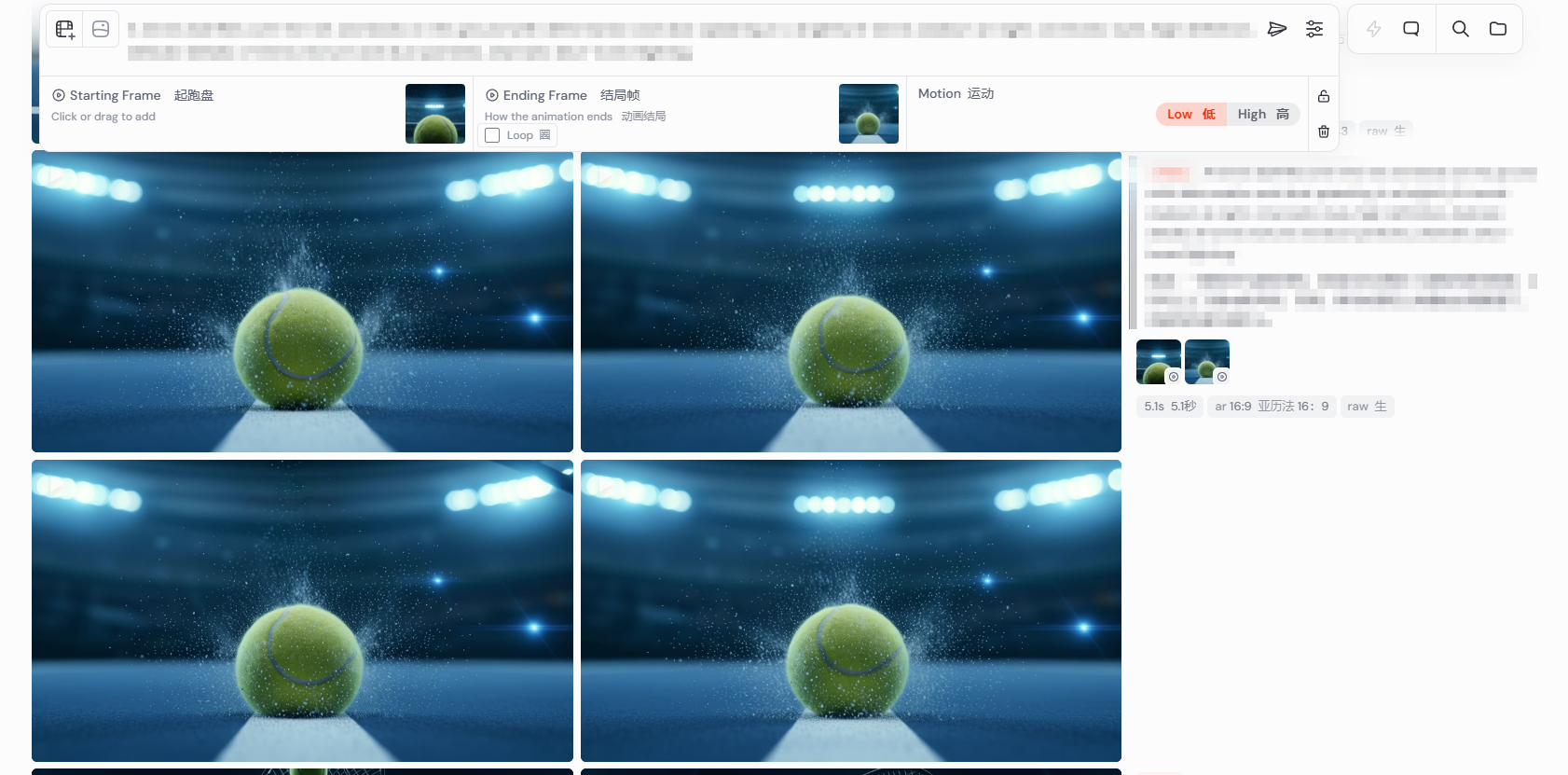
视频七(midjourney首尾帧生成)
生成方法与前面的视频一致。
先用豆包给我们提示词
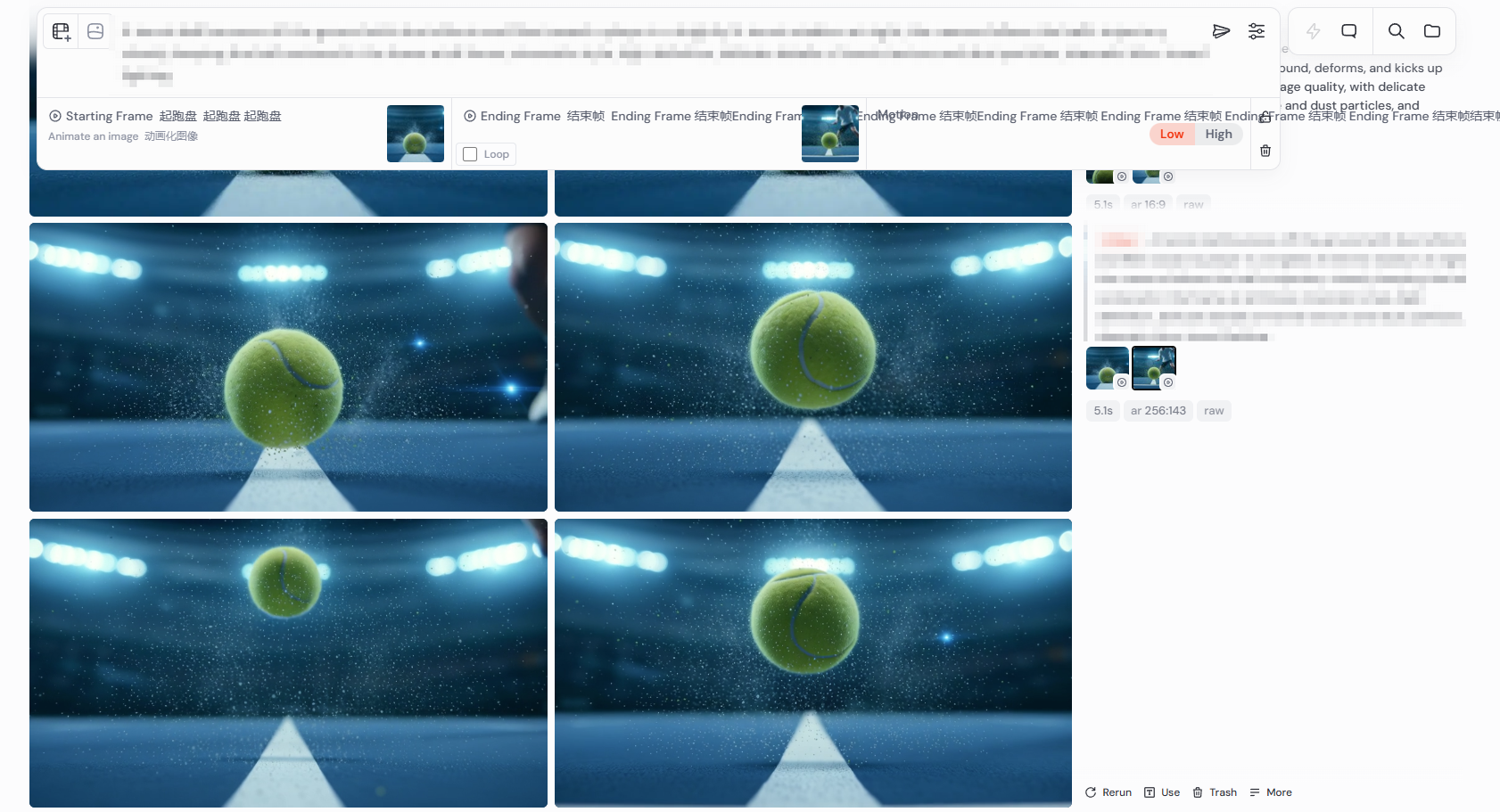
视频提示词:
A tennis ball bounces off the ground with dust effects and flies toward a player in a brightly lit tennis stadium at night; the camera follows the ball’s trajectory closely, keeping the ball centered in the frame at all times; cinematic style, high definition, delicate details of tennis texture and dust particles, dramatic blue-toned lighting.
四、“剪” 出你的故事 —— 剪映收尾成片
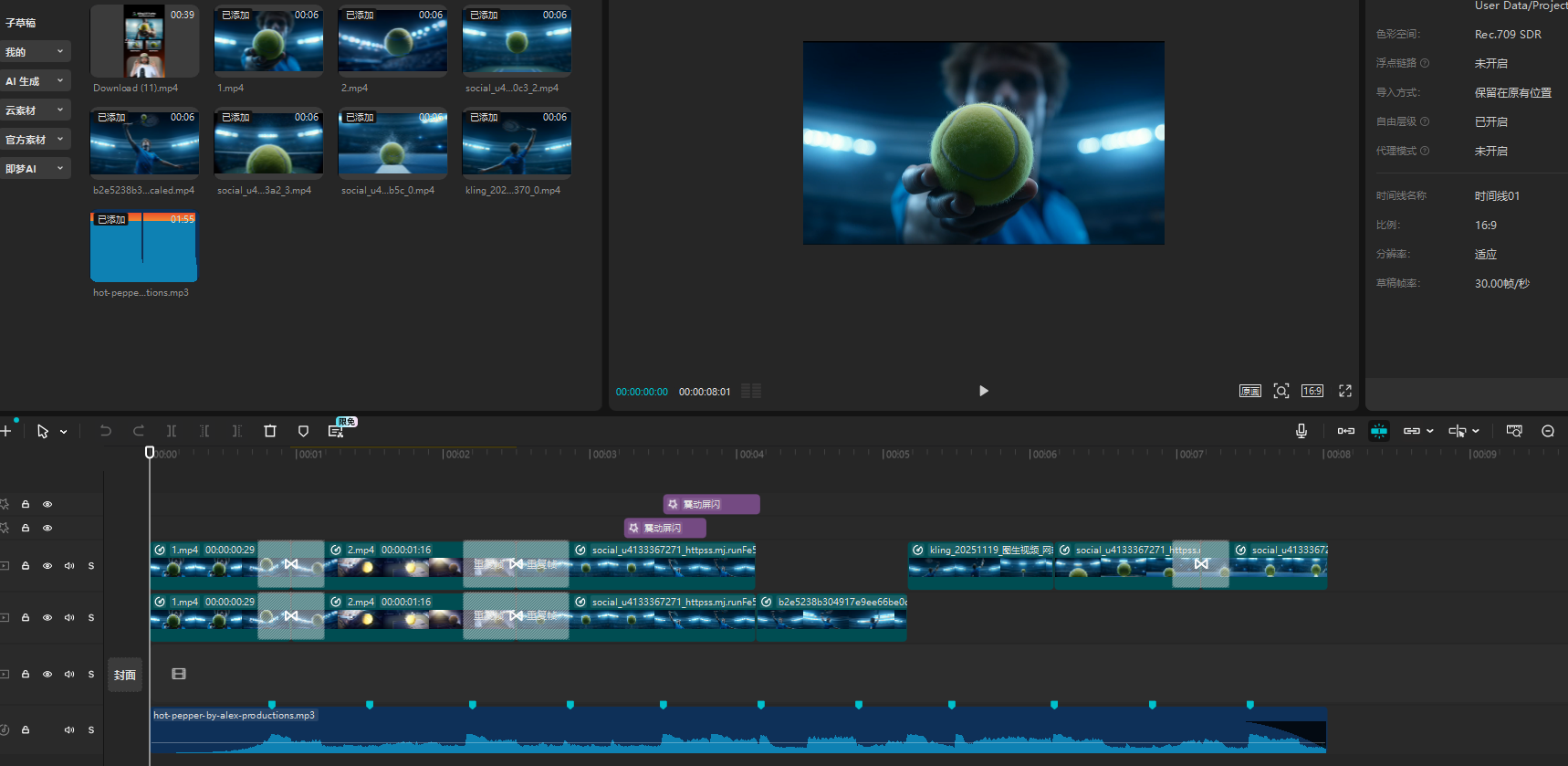
最后一步就是把这些 AI 生成的片段 “串” 起来,剪映的操作友好到啥程度呢?就像拼乐高, drag and drop(拖拖拽拽)就行。
推荐的免费音乐网站(https://www.audiolibrary.com.co/genres/ambient?page=2)
画面之间添加过度,更改画面速率曲线即可。
视频生成执行卡
把这节课压缩成一张可执行卡片:看重点、照步骤、避坑,再复制模板直接开做。
这节课不是先追求炫技成片,而是围绕「打造 “燃炸全场” 的网球创意视频教程」先把主体、动作、镜头和节奏稳住。
按原文节奏走最稳:先吃透「准备工具」,再把「“画” 出你的网球世界 ——Midjourney 生成动感图片」定住,接着处理「给图片 “施魔法”—— 即梦 / Nanobanan 换视角改动作」;最后用「“剪” 出你的故事 —— 剪映收尾成片」收口。
- 先把「准备工具」里的主体和动作定死。
- 这一段重点看镜头和节奏,别急着炫技。
- 把「给图片 “施魔法”—— 即梦 / Nanobanan 换视角改动作」这一点先定准,再往下走。
- 先把「让图片 “活” 成视频 ——Midjourney + 海螺 AI 生成动态画面」里的主体和动作定死。
- 做完「主体 / 细节」后,先查连贯性和穿帮。
不要一上来就生成最终片;先拆镜头、定主体和运动,再逐段生成,否则容易跳轴、穿帮、节奏混乱。
检查主体是否稳定;镜头运动是否明确;前后画面是否连贯;节奏是否服务主题;是否有明显变形或穿帮。
请围绕「打造 “燃炸全场” 的网球创意视频教程」帮我做一个可直接执行的方案。
我的目标是:【填写你的具体目标】
我的素材/产品/角色信息是:【填写已有素材和限制】

请输出:核心创意、分镜表、每个镜头的画面描述、视频生成提示词、剪辑顺序和成片自检清单。要求主体稳定、动作明确、镜头连贯。